Fixing a Disconnecting Glorious Model O- with an Ascended Cable
By Romel Dris·Published ·4 min read·PeripheralsGearTutorials
From the video archive
Adapted from my original video, published Aug 9, 2020. Watch original
Today we're replacing the cable on my Glorious Model O- with an Ascended cable, and the reason is one a lot of you will recognize: my mouse kept disconnecting. Every time I'd go to use it, it would drop out mid-game. If that's happening to you, this guide is for you.


WHY THE MODEL O- DISCONNECTS
This is a really common issue on the earlier versions of the O- and the Model O, and it mostly comes down to how the mouse was packaged. In those early copies, the cable was bent at a 90-degree angle in the box, which causes kinks over time, and eventually those kinks lead to the disconnecting problem.


GLORIOUS SUPPORT IS GREAT
Before the install, I have to give Glorious credit. This isn't the first time I've dealt with their support. They sorted out a scroller issue on my Model D too, and the process was just as easy this time. I opened a support ticket, they told me exactly what to send: a quick video of the mouse, the serial number, and the order number. After that they sent me a coupon code for a free Ascended cable, no shipping charge or anything else.
Honestly, the hardest part of the whole thing was picking a color. So I consulted my daughter, and she told me to get pink, so I listened. The black and pink combo turned out great. It doesn't match anything on my setup right now, but if I ever switch my RGB to pink it'll look sick.
WHAT YOU NEED
- A Phillips-head screwdriver
- A knife for removing the feet, or a hair dryer or heat gun to loosen the adhesive
- The Ascended cable kit, which comes with the cable and a new set of feet
THE INSTALLATION, STEP BY STEP
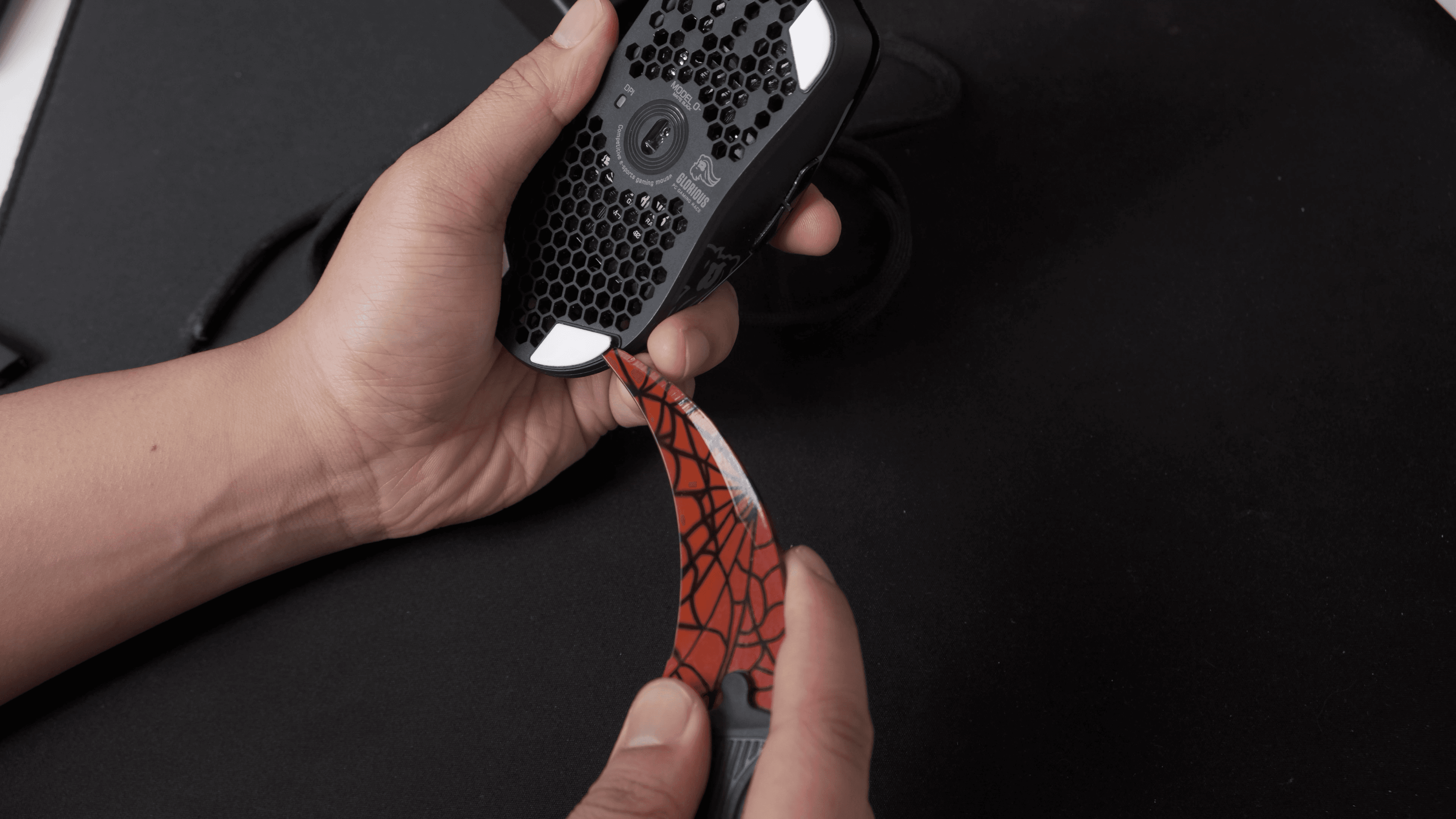
- Remove the feet. This is much easier with a knife. I used my karambit, but you don't need anything that sharp. Fingernails are a struggle. If the adhesive is being stubborn, a hair dryer or heat gun will loosen it right up
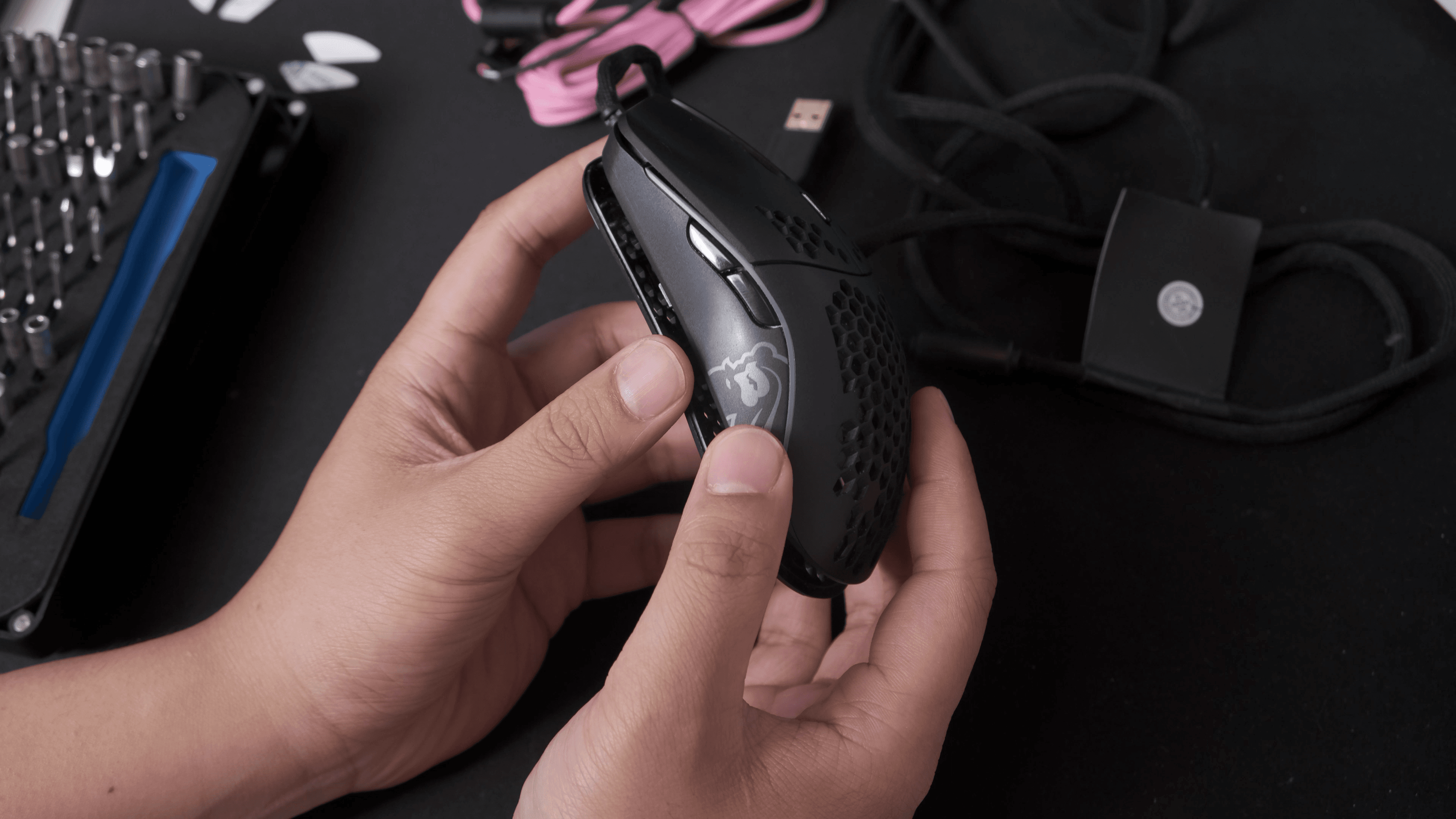
- Open the housing. Unscrew the two bottom screws, then gently lift and push forward to loosen the front. Be careful here, because there are ribbon cables connecting the top and bottom of the mouse, so you don't want to yank it apart.
- Swap the cable. Set the housing down gently. Look for the white rectangle connector where all the wires meet. I first tried to pull it off without freeing the cable and that was a pain, so instead just pull off the cable tucked underneath the PCB, pop the new one in, and tuck it back into place.
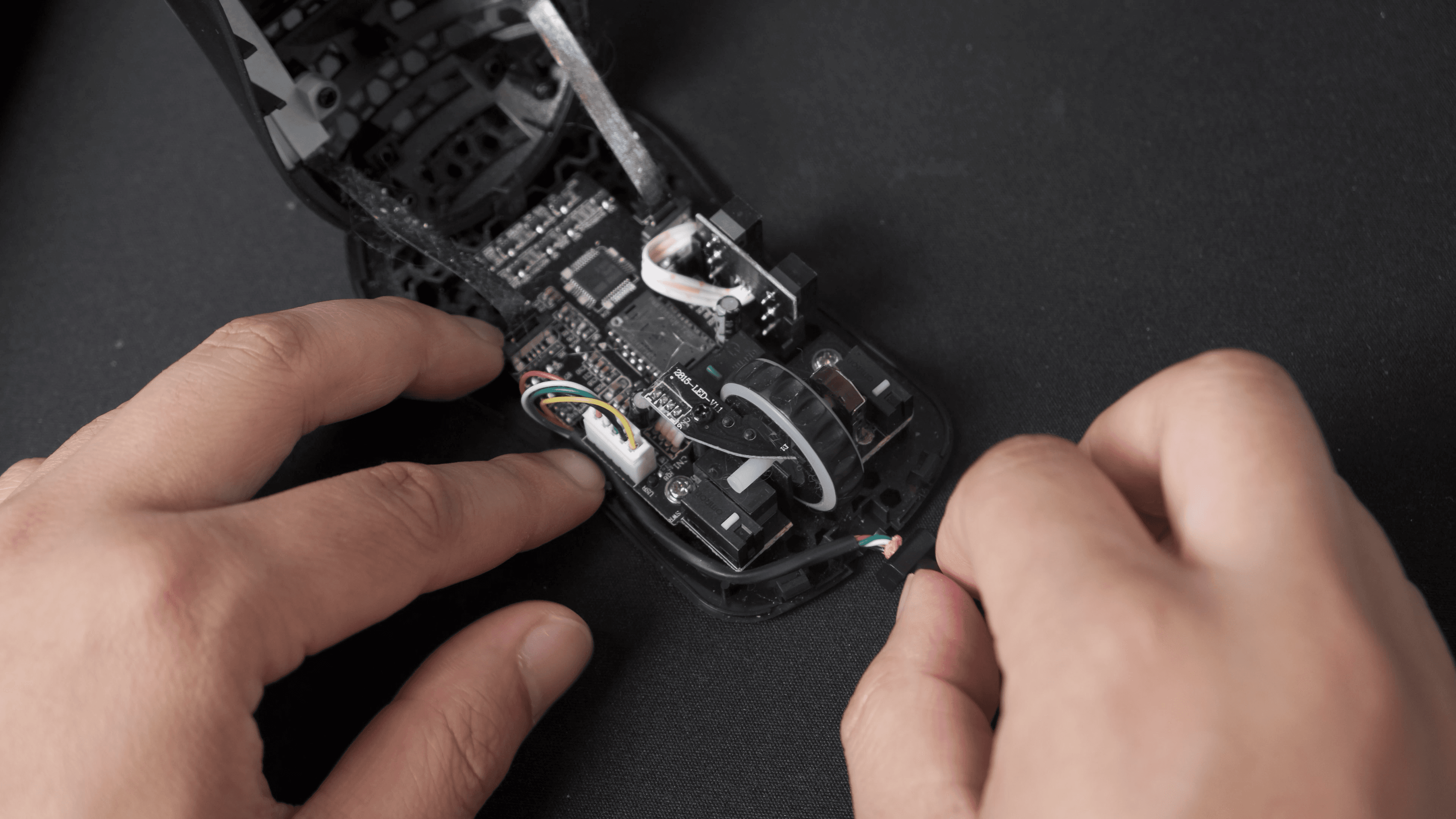
Model o- cable - Reassemble. Close the housing, put the two screws back in, stick on your new feet, and you're done. Glorious really made this easy, so if you like swapping cable colors every now and then, it's no trouble at all.


THE ROOKIE MISTAKE, DON'T DO THIS
When you put on the new G-Skates feet, there's an extra protective film on the underside. I forgot to peel it off, and for two or three games my mouse barely glided. I genuinely sat there thinking I'd been using the wrong sensitivity on all my other mice, because it felt nothing like my Viper, DeathAdder, or MM710. The next morning I flipped it over and had the biggest facepalm moment ever. I peeled the film off and it glided like butter. So peel the protective film off the feet, or your mouse will feel painfully slow on the pad.
HOW THE ASCENDED CABLE FEELS
The cable itself feels great. I'd already been using one on my Model D with zero issues, and it's the same story on the O-. There's not a lot of flex to it, so even without a mouse bungee it stays out of the way when you're moving the mouse around. No more disconnects, and a cleaner feel than the stock cable.
FINAL THOUGHTS
If your Model O or O- is disconnecting, don't toss the mouse, reach out to Glorious. Their support made this painless, the replacement was free, and the install is a 10-minute job with a screwdriver and a knife. Just remember that protective film.
If you run into any issues or have questions, leave a comment or join the Discord. I'll do my best to get back to you.